
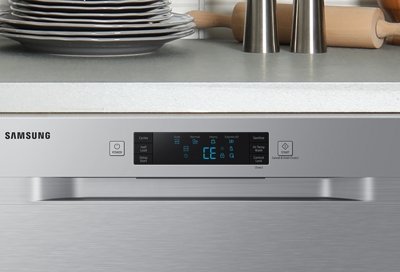
Are you facing issues with your Samsung dishwasher and thinking, “How do I reset it?” You’re not alone.
It’s frustrating when your trusty appliance doesn’t perform as expected. But don’t worry, resetting your Samsung dishwasher could be the simple solution you need. Imagine the relief of seeing it work perfectly again. You’ll discover step-by-step instructions tailored just for you.
We’ll guide you through the process to help restore your dishwasher to its optimal performance. So, let’s dive in and get your appliance back on track, saving you time and stress.
Credit: appliancerepairexpert.ca
Troubleshooting Common Issues
Dealing with a malfunctioning Samsung dishwasher can be frustrating. Sometimes, simple troubleshooting can solve common issues and save time. Before calling for professional help, explore some basic solutions. These steps may help reset your dishwasher and resolve the problem.
Common Error Codes And What They Mean
Samsung dishwashers display error codes to indicate issues. Understanding these codes is crucial. For instance, “OE” means an overflow error. “LE” indicates a leakage error. Identifying these codes helps to diagnose the problem.
Checking The Power Supply
Ensure your dishwasher is plugged in properly. Check the power outlet for issues. Sometimes, a tripped circuit breaker can be the culprit. Reset the breaker if necessary. This simple check can often solve the problem.
Inspecting The Door Latch
A faulty door latch may prevent the dishwasher from starting. Ensure the door is closed securely. Check for any obstructions in the latch area. Replacing a damaged latch can solve the issue.
Cleaning The Filter
A clogged filter can affect dishwasher performance. Remove and clean the filter regularly. Built-up debris can cause drainage issues. Ensure the filter is placed back correctly after cleaning.
Resetting The Control Panel
Sometimes, a reset is needed to clear minor glitches. Unplug the dishwasher for a few minutes. This action resets the control panel. Plug it back in and test if the issue persists.
Inspecting The Water Supply
Check the water supply line for kinks or blockages. Ensure the water valve is open. Low water pressure can affect operation. Addressing these issues can restore normal function.
Credit: www.samsung.com
Identifying Reset Signals
Resetting a Samsung dishwasher often starts with recognizing reset signals. These signals help diagnose issues. Understanding them can save time and effort.
You don’t need technical knowledge. Just keep an eye on the clues. Let’s explore the common signals that hint at a reset need.
Flashing Lights
Flashing lights can indicate a problem. They may blink in patterns. Each pattern can mean something different. Refer to your manual for specific meanings.
Error Codes
Error codes appear on the display. They signal specific issues. Each code corresponds to a different problem. Check your manual to decode them. This step can guide the reset process.
Unusual Noises
Strange noises may suggest a reset is needed. Listen for grinding or humming sounds. These noises might indicate internal errors. Identifying them early can prevent further damage.
Cycle Interruptions
Cycle interruptions are clear reset signals. If the cycle stops suddenly, consider a reset. It could be due to an internal glitch. Resetting often resolves such interruptions.
Soft Reset Steps
Resetting a Samsung dishwasher is simple. Turn off the dishwasher and unplug it from the power source. Wait a few minutes, then plug it back in and turn it on. This soft reset can help resolve minor issues and improve performance.
Is your Samsung dishwasher acting up, and you’re unsure how to perform a soft reset? Sometimes, all it takes is a quick reset to get your appliance back in working order. It’s a straightforward process that doesn’t require any technical know-how. Here, we’ll guide you through the simple steps to perform a soft reset on your Samsung dishwasher, so you can tackle the task with confidence.Power Off The Dishwasher
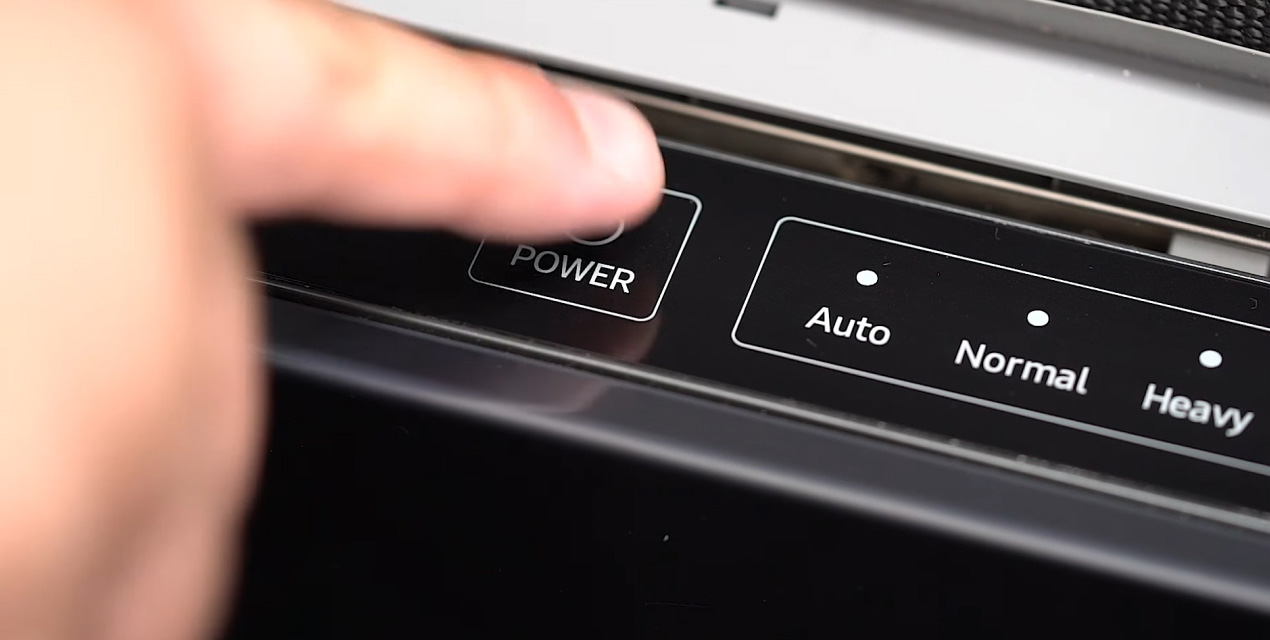
Begin by ensuring your dishwasher is completely powered off. Look for the power button, usually located on the front panel of the machine. Press and hold the button until the appliance shuts down. It’s that simple! If your dishwasher has a display, make sure it goes blank. This step ensures the device is ready for the next phase of the reset.Unplugging The Device
Once the dishwasher is off, unplug it from the wall socket. This step is crucial as it cuts off all power, allowing the internal systems to reset. Have you ever wondered why unplugging works? It’s like giving the device a moment to breathe and reset itself. Wait for about 30 seconds to a minute before moving to the next step.Reconnecting And Powering On
After the short wait, plug the dishwasher back into the wall outlet. This reconnects the appliance to the power supply and prepares it for a fresh start. Now, press the power button to turn the dishwasher back on. Listen for any unusual sounds and check the display to ensure everything looks normal. The dishwasher should now be reset, ready to tackle your dirty dishes. Performing a soft reset is often all it takes to resolve minor glitches. Have you tried this method before, or is this your first time? Remember, the next time your Samsung dishwasher gives you trouble, these steps might just save the day.Hard Reset Instructions
Resetting your Samsung dishwasher can solve many issues. A hard reset is often the quickest fix. It can restore your dishwasher to its factory settings. Follow these steps to perform a hard reset.
Accessing The Control Panel
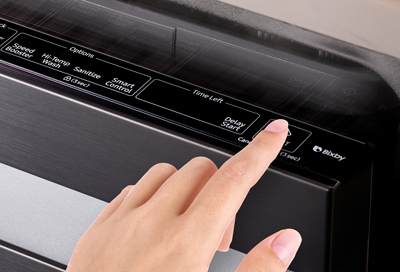
First, locate the control panel on your dishwasher. The control panel is usually on the front. It might be hidden when the door is closed. Open the door if needed. Look for the buttons or digital display.
Initiating Factory Reset
Now, press and hold the “Start” button. Hold it for three seconds. Release the button. The dishwasher should beep or blink. This means the reset has started.
Wait a few minutes. This allows the system to reset. Once complete, your dishwasher should function normally. Repeat the process if it does not work the first time.
When To Seek Professional Help
Resetting a Samsung dishwasher is usually a simple task. But there are times when the usual steps don’t work. In these cases, professional assistance might be needed.
Unresponsive Control Panel
If the control panel stops responding, it may signal a bigger issue. A technician can diagnose the problem accurately. They have tools and expertise that ensure proper repair.
Repeated Reset Failures
Repeated reset attempts can mean deeper problems. Persistent issues might hint at faulty wiring or internal malfunctions. Professional help ensures these are addressed swiftly.
Strange Noises During Operation
Unusual sounds might indicate mechanical issues. Grinding or clanking noises need immediate attention. A professional can identify the source and fix it safely.
Water Leakage
Leaks during operation can cause damage. A professional can find the leak’s origin and solve the problem. Quick action prevents further complications and costly repairs.
Error Codes Displayed
Error codes on the display can be confusing. Technicians understand these codes and offer solutions. They provide guidance and ensure the dishwasher functions properly.
Power Supply Issues
If the dishwasher doesn’t turn on, it might be a power issue. Professionals can check for electrical faults. They ensure the appliance receives consistent power.
Maintaining Your Dishwasher
Resetting a Samsung dishwasher helps resolve minor issues. Begin by unplugging the unit, wait a few minutes, then reconnect. Try restarting the cycle to check if the problem is fixed. For specific models, consult the manual for detailed reset instructions.
Maintaining your dishwasher is essential for its longevity and performance. A well-maintained appliance not only cleans better but also saves you money on repairs and replacements. If you’ve ever experienced the frustration of dishes not coming out clean, it might be time to give your dishwasher some attention.Regular Cleaning Tips
To keep your Samsung dishwasher in top shape, regular cleaning is a must. Start by wiping down the door and gasket using a damp cloth to remove any residue. This simple step can prevent mold and mildew build-up. Next, focus on the filter. Remove it and rinse under warm water to clear out food particles. A clean filter ensures water flows efficiently and your dishes come out spotless. Don’t forget the spray arms. Check for clogs by removing them and flushing with water. This ensures they spin freely and spray water properly, reaching every corner of the dishwasher.Routine Maintenance Checks
Conducting routine maintenance checks can save you from unexpected breakdowns. Begin by inspecting the racks for any rust or damage. Adjust or replace them as necessary to avoid scratching your dishes. Keep an eye on the hoses. Check for any leaks or cracks. Replacing worn-out hoses can prevent water damage and costly repairs down the road. Lastly, ensure the dishwasher is level. An unbalanced dishwasher can cause noise and affect its cleaning efficiency. Use a level to check and adjust the feet accordingly. Have you ever wondered how often these checks should be done? Experts recommend monthly cleaning and quarterly maintenance checks. This keeps your dishwasher running smoothly and efficiently. How do you maintain your dishwasher? Share your tips in the comments below!
Credit: www.youtube.com
Frequently Asked Questions
How To Do A Hard Reset On Samsung Dishwasher?
To hard reset a Samsung dishwasher, unplug it for 5 minutes. Plug it back in, then restart. This resets the control panel and resolves minor issues. Always consult your user manual for model-specific instructions.
How Do I Force My Samsung Washer To Reset?
Unplug the washer for 5 minutes to reset it. Plug it back in, and press the Power button. This should force a reset and resolve minor glitches. Always check the user manual for specific troubleshooting steps tailored to your model.
How Do I Manually Reset My Dishwasher?
To manually reset your dishwasher, unplug it or turn off the circuit breaker. Wait for 5 minutes, then reconnect the power. This resets the control panel and resolves minor glitches. Check the user manual for model-specific reset instructions. Always ensure safety by following the manufacturer’s guidelines.
Why Won’t My Samsung Dishwasher Start The Cycle?
Ensure the dishwasher door is closed properly. Check power supply and circuit breaker. Inspect the control panel for errors. Confirm water supply is on. Reset the dishwasher if needed.
Conclusion
Resetting your Samsung dishwasher is straightforward. Follow the steps shared above. They ensure your appliance runs smoothly. Start with turning off the power. Wait a few minutes. Power it back on. Press the reset button if available. This often solves minor glitches.
Regular maintenance prevents bigger issues. Keep your dishwasher clean and check for blockages. These steps help in maintaining efficiency. Consult your manual for specific instructions. Remember, a well-maintained dishwasher lasts longer. Enjoy hassle-free dishwashing with these simple tips. Regularly follow these steps for optimal performance.
Your dishes will thank you!
