
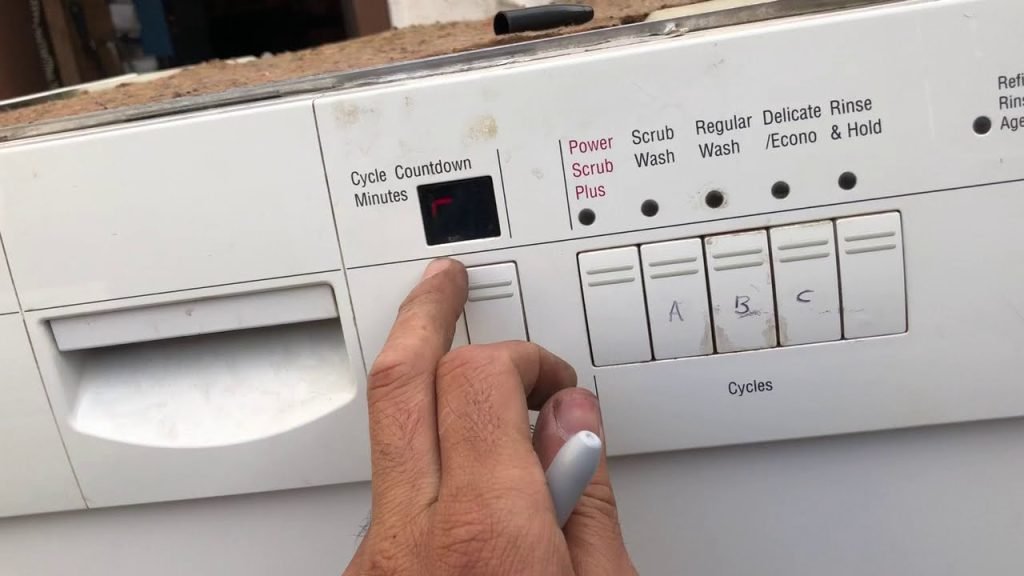
Dealing with a Bosch dishwasher that’s running a cycle you no longer need can be frustrating. Maybe you accidentally hit the wrong button, or perhaps your plans have changed, and you need to stop the wash mid-cycle.
Whatever the reason, knowing exactly how to cancel a cycle on your Bosch dishwasher can save you time and effort. Imagine avoiding that moment of panic when you realize your dishwasher is running unnecessarily. In this guide, you’ll discover simple steps to regain control and confidently manage your dishwasher, ensuring you can pause or stop it whenever you need.
Stay tuned to learn how to handle this common household scenario effortlessly!

Credit: applianceworldonline.com
Canceling A Cycle: Quick Steps
Canceling a cycle on your Bosch dishwasher should be easy. Sometimes, you need to stop a cycle. Perhaps you forgot to add a dish. Or maybe you need a different wash setting. Whatever the reason, knowing the quick steps can save time. Let’s dive into the simple process.
Step 1: Open The Dishwasher Door
Start by opening the dishwasher door gently. This action pauses the cycle. Make sure not to pull the door too fast. The machine needs a moment to register the pause.
Step 2: Press The “start/reset” Button
Locate the “Start/Reset” button on the control panel. Press and hold it for three seconds. This action cancels the ongoing cycle. The dishwasher will start draining water immediately.
Step 3: Wait For The Draining Process
Once you press “Start/Reset,” the machine drains. This process usually takes about a minute. Allow the dishwasher to complete this step. Do not open the door until draining finishes.
Step 4: Select A New Cycle If Needed
After draining, you can select a new cycle. Choose the wash setting that fits your needs. Once selected, close the door to start the new cycle.
Step 5: Close The Dishwasher Door
Ensure the door is properly closed. This action ensures the new cycle starts correctly. Listen for the click to confirm the door is shut.
Credit: www.bosch-home.com
Understanding Dishwasher Control Panel
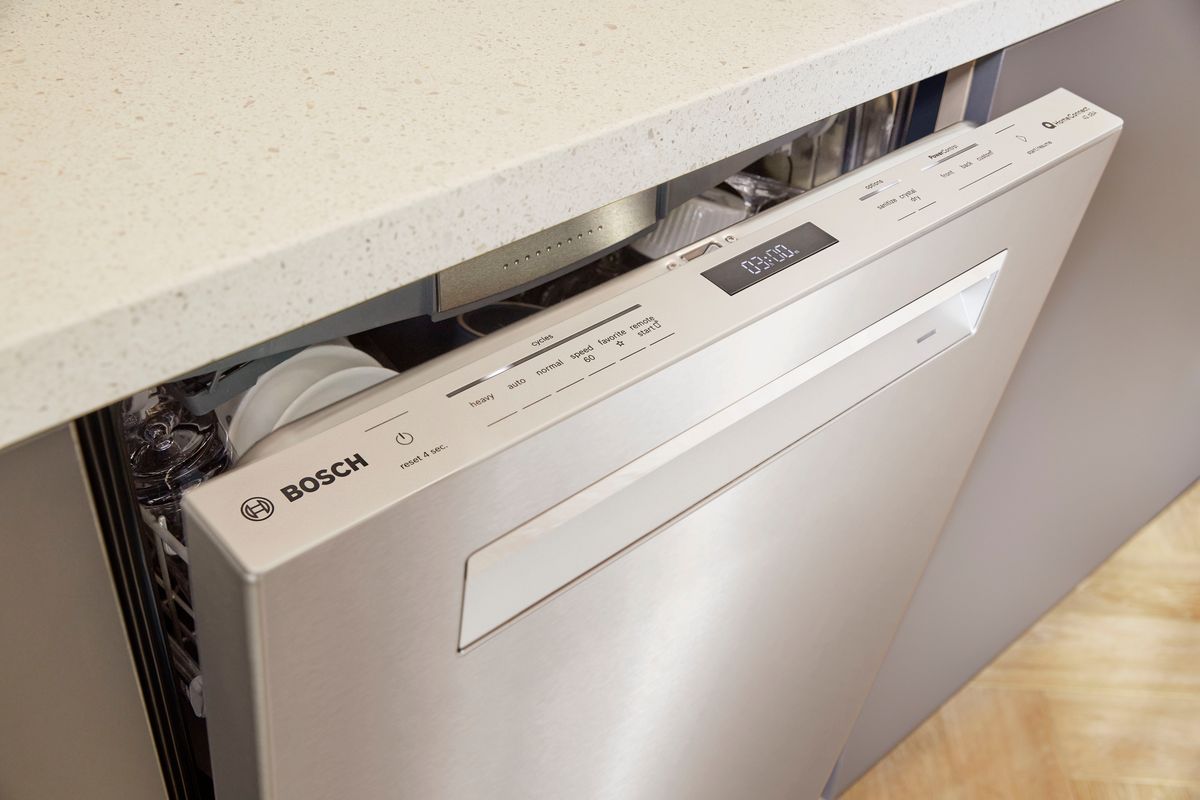
To cancel a cycle on a Bosch dishwasher, press and hold the start button for three seconds. The control panel will beep, indicating the cycle is canceled. Always ensure the dishwasher door is securely closed during this process for safety.
Understanding the control panel on your Bosch dishwasher is essential for managing its functions effectively. It’s the heart of the appliance, where you can select cycles, adjust settings, and even cancel a cycle when needed. But, if you’re like me, the multitude of buttons and symbols can be a bit overwhelming at first. Let’s break it down to make it simple and straightforward.Identifying Key Buttons
Most Bosch dishwashers have a control panel on the top edge of the door. You’ll find a combination of buttons and a digital display. Start by identifying the power button, which turns the machine on and off. Look for cycle buttons that indicate different wash options like “Normal” or “Eco.” The cancel button is crucial here. Often labeled as “Cancel” or “Reset,” it allows you to stop a cycle mid-way. If you’re unsure, check your user manual for the exact symbol used on your model.Using The Cancel Function
To cancel a cycle, simply press the “Cancel” button. On some models, you might need to hold it for a few seconds. This action will drain the water and pause the operation. Once you press it, listen for the beep or watch the display for a confirmation message. This tells you that the cancellation is in progress. Have you ever been in a rush and had to cancel a cycle? It’s a lifesaver when you realize you’ve forgotten to add a crucial item to the load.Common Mistakes To Avoid
One common mistake is pressing multiple buttons simultaneously, hoping to cancel the cycle. This can confuse the system and may not yield the expected result. Stick to the dedicated cancel button for best results. Another error is not waiting for the machine to drain fully before opening the door. Patience is key here. Avoid the temptation to force it open immediately after pressing cancel. It could spill water and create a mess.Regular Maintenance Tips
Regularly cleaning the control panel can prevent buttons from sticking and ensure your inputs are registered correctly. Use a soft, damp cloth to wipe away fingerprints and grime. Consider checking the user manual for model-specific maintenance tips. It’s a small effort that can make a big difference in the long run. Does your dishwasher’s control panel have any quirks? Understanding these features can save you time and frustration. Next time you’re faced with a stubborn cycle, you’ll know just what to do!Using The Cancel Drain Feature
Easily stop a Bosch dishwasher cycle using the Cancel Drain feature. Press and hold the Start button for three seconds. The dishwasher will drain and stop, allowing you to restart or adjust settings.
Using the Cancel Drain Feature on your Bosch dishwasher can be a lifesaver when you’ve accidentally started the wrong cycle or need to stop the machine mid-way. This feature allows you to halt the current cycle and drain the water, ensuring that your dishes don’t end up soaked in soap and water. Understanding how to use it can save you from potential dishwasher disasters and keep your kitchen running smoothly.Understanding The Cancel Drain Button
Bosch dishwashers typically have a clear and easy-to-use control panel. The Cancel Drain button is usually marked clearly, but it’s essential to familiarize yourself with its location and function. Pressing this button allows you to immediately stop the cycle and drain the water from the machine.Step-by-step Guide To Use Cancel Drain
Using the Cancel Drain feature is straightforward. Simply locate the button on the control panel, press it, and wait for the machine to finish draining. This process takes a few minutes, so be patient. Once completed, you can select a new cycle or leave the dishwasher open to air out.Common Situations For Using Cancel Drain
You might need this feature if you accidentally selected the wrong cycle or need to add a forgotten dish. It’s also helpful when you notice an error or malfunction early in the cycle. Have you ever noticed a strange noise or leak? Cancel Drain can prevent further issues and give you a chance to check things out.Why It’s Important To Know This Feature
Knowing how to use Cancel Drain is crucial for effective dishwasher management. It helps you maintain control over the cleaning process and allows flexibility in handling unexpected situations. What if you need to pause the cycle for a quick kitchen cleanup or have guests arriving sooner than expected? This feature can save the day.Tips For Efficient Usage
Try practicing the Cancel Drain feature when your dishwasher is empty to become familiar with the process. This way, you won’t panic when a real need arises. Remember, this feature is there to make your life easier, so don’t hesitate to use it when necessary. By mastering the Cancel Drain feature, you enhance your ability to manage your Bosch dishwasher efficiently, ensuring it serves you well in all your kitchen endeavors. What would you do if you didn’t have this option? Knowing how to control your appliance can transform your dishwashing routine from hectic to harmonious.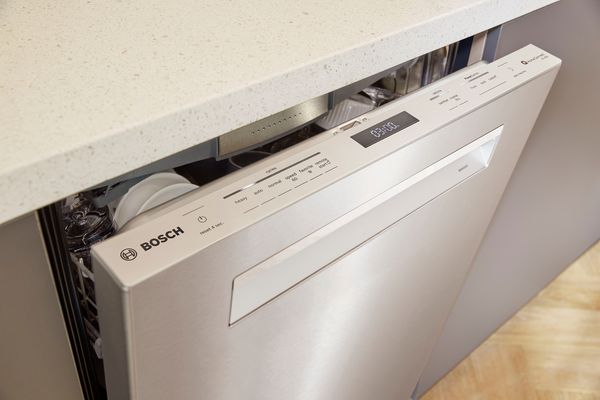
Credit: www.bosch-home.com
Powering Off The Dishwasher
To cancel a cycle on a Bosch dishwasher, press and hold the “Start/Reset” button. Wait for the indicator light to turn off. This action halts the current cycle and allows you to start a new one if needed.
Turning off your Bosch dishwasher might seem like a simple task, but doing it correctly ensures the longevity of your appliance and safety in your home. If you’ve ever been in the middle of a cycle and realized you forgot to add a dish or need to pause the process for any reason, knowing how to power off the machine without causing any issues is crucial. Let’s dive into the steps to properly power off your Bosch dishwasher.Understanding The Control Panel
Before you power off your dishwasher, take a moment to familiarize yourself with the control panel. The buttons and lights can vary slightly between models, but the essentials are usually the same. Identifying the power button and cycle indicators will help you confidently manage the dishwasher.Using The Power Button
Locate the power button, often represented by a simple on/off symbol. Press it firmly but gently. This action should immediately halt the cycle, and the lights on your dishwasher should go out, signaling the machine is now off.Checking For Residual Water
After powering off the dishwasher, open the door slightly to check for any remaining water. If there’s water left in the bottom, it could mean the cycle was halted prematurely. You may need to run a short drain cycle to clear it out before restarting.Unplugging For Safety
For an added layer of safety, consider unplugging the dishwasher from the wall socket, especially if you plan on leaving it off for an extended period. This can prevent any accidental power surges or electrical issues. Remember to plug it back in when you’re ready to use it again. Sometimes, error codes might appear when you power off your dishwasher mid-cycle. Don’t panic. Check your user manual for guidance on what each code means and how to resolve it. This step can save you a call to customer service and get your dishwasher back up and running quickly. Do these steps make sense for your situation? If you’ve ever faced a stubborn dishwasher that wouldn’t shut off, these insights might change how you handle it next time. Remember, your Bosch dishwasher is an investment, and taking care of it ensures it serves you well for years to come.Resetting The Dishwasher
To cancel a cycle on a Bosch dishwasher, press and hold the “Start” button for three seconds. This simple action stops the ongoing cycle and resets the dishwasher. Ensure the door is securely closed to complete the reset process effectively.
Resetting your Bosch dishwasher can be an intimidating task if you’re not familiar with the process. We’ve all been there—standing in front of the dishwasher, staring at its control panel, feeling slightly clueless. But fear not, resetting a cycle is simpler than you think. Whether your dishwasher’s cycle is stuck or you need to cancel a wash, knowing how to reset it can save you time and frustration. Let’s dive into the steps and demystify this common household dilemma.Understanding The Control Panel
Take a moment to look at the control panel of your Bosch dishwasher. Familiarize yourself with the buttons and their functions. Often, the reset button is hidden in plain sight, cleverly integrated with other buttons like “Start” or “Cancel.” Many Bosch dishwashers use a combination of button presses to reset. Knowing which buttons to press can make all the difference. Check your user manual if you’re unsure or if the buttons are not clearly labeled.Executing The Reset
Press the “Start” button and hold it for about three seconds. This action typically cancels the current cycle. It’s like giving your dishwasher a little nudge to stop what it’s doing. If pressing “Start” doesn’t work, try the “Cancel” button. Hold it down for three seconds as well. This should interrupt the cycle effectively, letting you start anew.When To Use The Reset Function
You might wonder when it’s appropriate to reset your dishwasher. Imagine loading your Bosch after a festive dinner, only to realize you forgot to add detergent. Resetting the cycle allows you to correct such mishaps. Another scenario might involve a power outage halfway through a cycle. Resetting helps to avoid half-washed dishes and ensures everything gets cleaned properly.Troubleshooting Common Issues
Sometimes, resetting might not resolve your issue. If your dishwasher refuses to start after resetting, it could be a sign of a deeper problem. Check if the door is properly closed or if there are any error codes displayed. If the reset button isn’t responding, it might be worth checking the circuit breaker. A quick flip can sometimes resolve electrical hiccups, allowing your dishwasher to reset smoothly.Ensuring A Smooth Reset Process
While resetting can be straightforward, little things can make the process smoother. Ensure your dishwasher is empty when resetting; this prevents unnecessary wear on the machine. It’s also a good idea to keep your user manual handy. A quick glance can provide clarity and confidence, especially if your model has unique features. Resetting your Bosch dishwasher doesn’t have to be a chore. With these steps, you’re equipped to handle any cycle mishaps. When was the last time you had to reset your dishwasher? How did it go? Share your experiences and tips below!Dealing With Error Codes
Dealing with error codes on your Bosch dishwasher can be frustrating. These codes often indicate issues that need attention. Understanding these codes is essential for a smooth dishwasher experience. Let’s explore how to handle them effectively.
Identifying Common Bosch Dishwasher Error Codes
Common error codes include E15, E24, and E25. Each code signifies a specific issue. E15 often indicates a water leakage problem. E24 usually means a drainage issue. E25 might suggest a blocked pump. Recognize these codes to know what action to take.
Steps To Reset Error Codes
First, turn off the dishwasher. Wait a few minutes to let it reset. Then, turn it back on. Most error codes clear after a reset. If the code persists, further action is needed.
Checking For Blockages
Blockages often cause error codes. Check the filter and drain for obstructions. Remove any debris to ensure proper water flow. Keeping the dishwasher clean helps prevent future errors.
Consulting The Manual
The manual provides solutions for specific error codes. Refer to it for guidance on complex issues. It offers troubleshooting steps tailored to your model. Always keep your manual handy for quick reference.
When To Call A Professional
Some issues require expert help. If error codes persist, contact a professional. They have the tools and knowledge to fix stubborn problems. Don’t hesitate to seek professional assistance when needed.
Maintenance Tips For Bosch Dishwashers
Taking good care of your Bosch dishwasher ensures it runs smoothly and lasts longer. Regular maintenance not only prevents unexpected breakdowns but also helps your dishwasher clean more efficiently. If you’ve ever wondered how to keep your Bosch dishwasher in top shape, these maintenance tips are for you.
How Often Should You Clean Your Bosch Dishwasher?
It’s essential to clean your Bosch dishwasher regularly to maintain its performance. Aim to clean it once a month to prevent the buildup of grime and limescale. A clean dishwasher also prevents unpleasant odors and ensures your dishes come out sparkling.
How To Clean The Filter
Start by removing the bottom rack to access the filter. Twist the filter counterclockwise and lift it out to clean. Rinse it under warm water, scrubbing gently with a soft brush to remove any debris.
Check The Spray Arms
Clogged spray arms can hinder your dishwasher’s cleaning power. Remove the spray arms by unscrewing them and rinse under warm water. Use a toothpick to clear any blocked holes, ensuring water can flow freely.
Inspect The Door Seal
The door seal prevents water from leaking during cycles. Wipe it down with a damp cloth to remove any food particles. Regular checks can prevent mold buildup and ensure a tight seal.
Keep The Exterior Clean
The outside of your dishwasher needs attention too. Use a mild detergent and a soft cloth to wipe down the exterior. This keeps your kitchen looking neat and prolongs the dishwasher’s lifespan.
Use Dishwasher Cleaner
Consider using a dishwasher cleaner to remove limescale and detergent buildup. Run an empty cycle with the cleaner to maintain the interior. This keeps your machine in prime condition and enhances its cleaning efficiency.
Maintaining your Bosch dishwasher doesn’t have to be a chore. With these simple steps, you ensure it runs smoothly and efficiently, saving you time and hassle in the long run. What’s the one maintenance tip you swear by for your appliances?
Frequently Asked Questions
Where Is The Cancel Reset Button On A Bosch Dishwasher?
The cancel Reset button on a Bosch dishwasher is typically found on the control panel. Look for the “Cancel” or “Reset” button near the cycle selection. If you’re unsure, refer to your dishwasher’s user manual for precise location details.
How Do I Cancel My Dishwasher Cycle?
To cancel a dishwasher cycle, press the “Cancel” or “Reset” button on the control panel. Wait for the machine to drain and shut off automatically. Always check your dishwasher’s manual for specific instructions as models may vary.
How To Clear A Bosch Dishwasher Cycle?
Cancel the cycle by pressing the “Start” button for 3 seconds. Wait for the dishwasher to drain. Once drained, select a new cycle and press “Start” again. Ensure the door is securely closed to begin the new cycle.
How To Stop A Bosch Dishwasher Early?
Press the “Start/Reset” button on your Bosch dishwasher. Hold for three seconds to cancel the current cycle.
Conclusion
Canceling a cycle on a Bosch dishwasher is simple. Follow the steps and your dishwasher will reset. Unplug the machine if it’s stuck. Wait a few minutes, then plug it back. This should clear any errors. Always consult the manual for detailed instructions.
Regular maintenance can prevent cycle issues. Check filters and spray arms. Keep the dishwasher clean. This ensures smooth operation every time. If problems persist, contact Bosch support for help. They provide solutions quickly. Remember, understanding your appliance helps in handling it better.
Enjoy hassle-free dishwashing with these easy tips!
