
Has your Bosch dishwasher ever started a cycle at the wrong time? Maybe it’s running when you need to leave the house, or perhaps you just loaded it incorrectly.
Whatever the reason, knowing how to cancel a Bosch dishwasher cycle can save you time and stress. Imagine the convenience of being able to stop it with a simple touch, avoiding the frustration of waiting for a full cycle to end.
In this guide, you’ll discover a straightforward way to pause and reset your dishwasher, making your life just a bit easier. Keep reading to learn the quick steps that can give you control over your appliance and make your daily routine smoother.
Credit: www.bosch-home.com
Locating The Control Panel
Locating the control panel on your Bosch dishwasher is essential. It allows you to easily navigate settings and manage cycles. This step is key to canceling a cycle. Understanding its position saves time and frustration.
Identifying The Front Panel
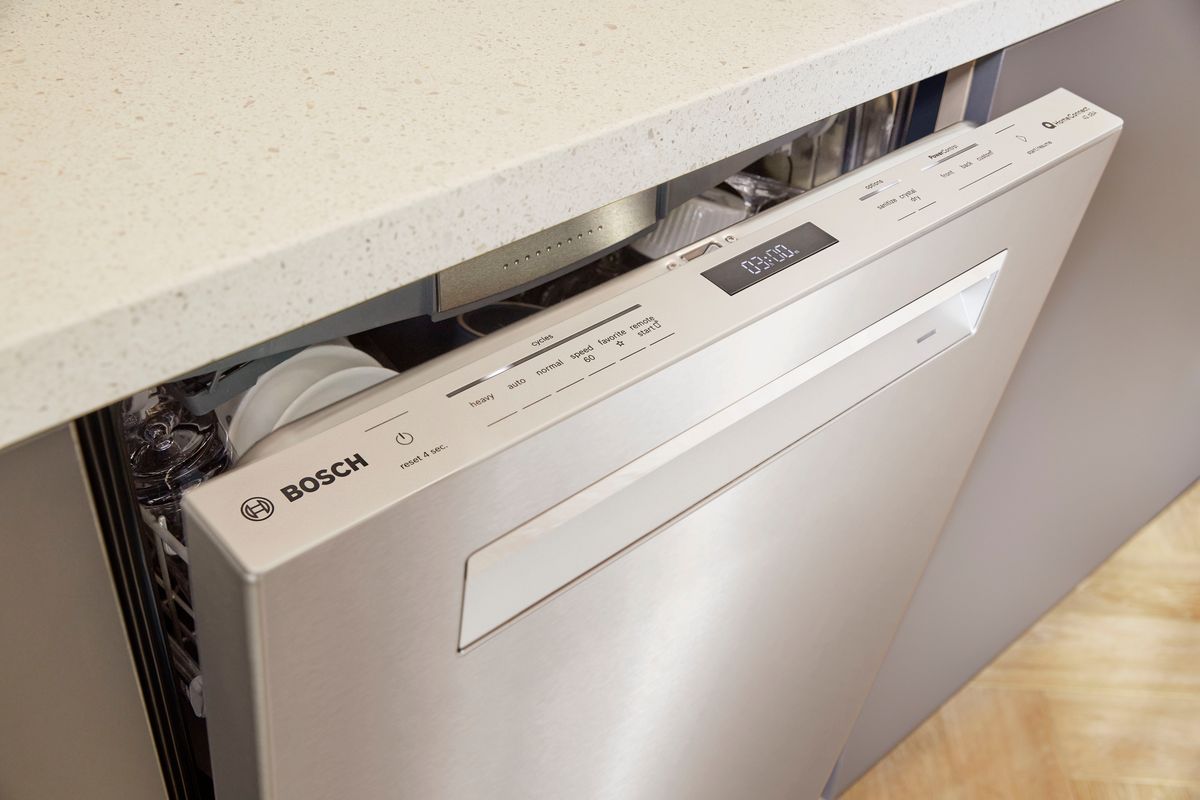
The control panel is usually on the front of the dishwasher. It’s often located above the door handle. Check the top edge if your model has a hidden panel.
Recognizing Buttons And Indicators
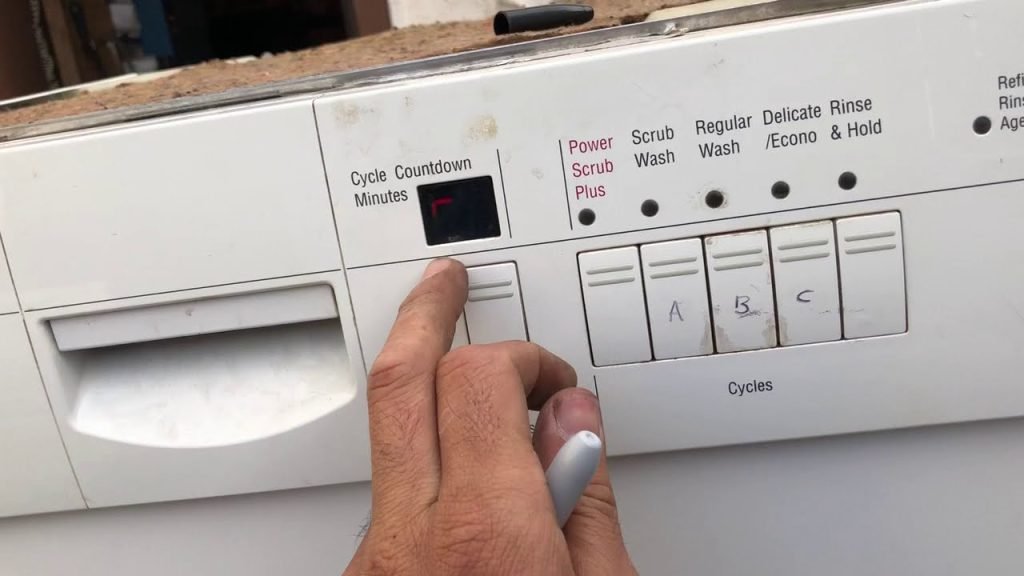
The panel features several buttons and indicators. Each button has a specific function. Labels help identify these functions. Look for clear labels indicating cycle options.
Understanding The Display Screen
Many Bosch dishwashers include a digital display. This screen shows current cycle progress. It helps in determining the right time to cancel.
Finding The Cancel Button
Locate the cancel button on the control panel. It’s often labeled as “Cancel” or “Reset.” Pressing it will stop the ongoing cycle.
Using The User Manual
The user manual provides detailed instructions. It guides you through locating the control panel. It’s a helpful resource for troubleshooting.
Stopping The Current Cycle
Stopping a dishwasher cycle can be necessary for various reasons. Perhaps you forgot to add a dish, or you need to change a setting. Bosch dishwashers offer simple ways to halt the current cycle. Knowing these methods can save time and effort.
Pressing The Cancel Button
Locating the cancel button is the first step. On Bosch models, it is often labeled ‘Cancel’ or ‘Stop’. Press this button once. Wait a few seconds for the machine to respond. The cycle should halt immediately. Water may drain automatically from the dishwasher. This process clears the current operation.
Using The Reset Option
The reset option is another way to stop a cycle. Reset functions are found on many Bosch dishwashers. Press the ‘Reset’ button and hold it for three seconds. This action stops the cycle and drains the water. The dishwasher returns to its default state. The reset option is useful for clearing errors.
Draining The Dishwasher
Draining your Bosch dishwasher is a necessary step. It ensures the machine runs smoothly. Sometimes, a cycle needs to be stopped midway. Draining helps avoid water residue and mess. It’s a simple process. Yet, understanding the steps is crucial. Let’s explore manual and automatic drain options.
Manual Drain Instructions
First, switch off the dishwasher. Unplug it from the power source. Open the dishwasher door carefully. Remove the bottom dish rack to access the drain. Check for food debris or blockages. Use a cup or towel to scoop out excess water. Ensure the drain area is clear. Reassemble the parts before restarting the machine.
Automatic Drain Function
Many Bosch dishwashers have an automatic drain function. It simplifies the draining process. Begin by pressing the “Cancel” button. This stops the current cycle. The machine then activates the drain pump. Water will start to drain automatically. Wait for a few minutes. Ensure the dishwasher is empty of water. Once drained, the machine will beep or signal. Reset the dishwasher for future use.
Credit: www.bosch-home.com
Restarting The Dishwasher
Stopping a Bosch dishwasher mid-cycle is simple. Press and hold the “Start” button until the cycle cancels. Wait for the water to drain, then restart with a new cycle as needed.
Restarting your Bosch dishwasher can seem tricky. But, it’s a simple process. Sometimes, you need to stop a cycle midway. You might want to start fresh. This guide helps you restart with ease.Preparing For A New Cycle
First, ensure the dishwasher is off. Open the door carefully. Wait a few seconds for the water to settle. Remove any items you want to take out. This is important for safety. Check for leftover detergent. If present, clean it out. This prevents residue build-up. Close the door gently.Selecting The Correct Settings
Now, turn on the dishwasher. Choose the cycle you prefer. Options include normal or quick wash. Ensure the settings match your needs. Use the control panel to select. Press start to begin the cycle. Wait for the dishwasher to respond. The machine should start smoothly. Listen for the sound of water. This shows the cycle has started. Adjust settings if needed. Keep the manual nearby for guidance.Troubleshooting Common Issues
Troubleshooting common issues with your Bosch dishwasher can be a straightforward process, but it often requires patience and a keen eye for detail. Whether your cycle refuses to cancel or persistent error codes are driving you up the wall, understanding these problems can save you time and frustration. Let’s dive into these challenges, offering practical solutions that you can easily apply.
Cycle Refusal To Cancel
Has your dishwasher ever seemed to have a mind of its own, refusing to stop the cycle? This issue can often be traced back to a simple user error or a minor glitch. Before you start worrying, check if the cancel button was pressed correctly. Bosch dishwashers often require holding the button for a few seconds rather than just tapping it. This is a common oversight.
If holding the button doesn’t work, consider resetting the dishwasher. Unplugging it for a few minutes can sometimes reset the system and resolve the issue. It’s like giving your dishwasher a brief nap to refresh its settings. Remember, it’s always a good idea to consult the manual for your specific model, as different models might have unique reset processes.
Persistent Error Codes
Error codes can be intimidating. They flash on your screen, leaving you puzzled about what went wrong. However, these codes are like messages from your dishwasher, trying to communicate specific issues. For instance, an E24 error might indicate a problem with drainage. This can often be fixed by checking if the drain hose is clogged or kinked.
Encountering a persistent error code? Start by looking up the code in your Bosch manual. This will give you a clue on where to start troubleshooting. Sometimes, the solution is as simple as cleaning a filter or adjusting a hose. If you find yourself in a bind, reach out to Bosch customer service for help. They can guide you through the steps to resolve the issue.
Do you ever find yourself wondering if these issues are just part of owning a dishwasher, or if there’s more you could do to prevent them? Regular maintenance can often prevent these problems before they start. A little care goes a long way in ensuring your Bosch dishwasher runs smoothly.

Credit: www.youtube.com
Frequently Asked Questions
How Do You Force Quit A Bosch Dishwasher?
Press and hold the “Start” button for 3-5 seconds to force quit your Bosch dishwasher. The machine will reset. Always refer to your user manual for model-specific instructions.
Where Is The Cancel Reset Button On A Bosch Dishwasher?
The cancel reset button on a Bosch dishwasher is typically located on the control panel. Look for a button marked “Cancel” or “Reset” near the display screen. Consult your dishwasher’s manual for exact placement and instructions.
How Do I Cancel The Cycle On My Dishwasher?
Press the “Cancel” or “Reset” button on your dishwasher. Check the user manual for specific instructions. Open and close the dishwasher door if needed. The dishwasher should stop and drain. Always ensure the cycle is canceled before starting a new one.
How To Stop A Bosch Dishwasher Early?
Press the “Start/Reset” button on the Bosch dishwasher to stop the cycle early. Wait for the machine to drain before opening the door. Ensure the cycle has completely stopped before removing dishes to avoid water spills.
Conclusion
Canceling a Bosch dishwasher cycle is simple. Just follow the steps. First, press the start button for three seconds. This stops the current cycle. Wait until the dishwasher fully stops. Then, choose a new cycle if needed. Remember to reset settings if required.
This ensures proper functioning. Keeping your dishwasher in good shape helps. Regular maintenance can prevent issues. You now know how to stop a cycle easily. Troubleshooting is less stressful with these tips. Enjoy hassle-free dishwashing with your Bosch appliance.
