
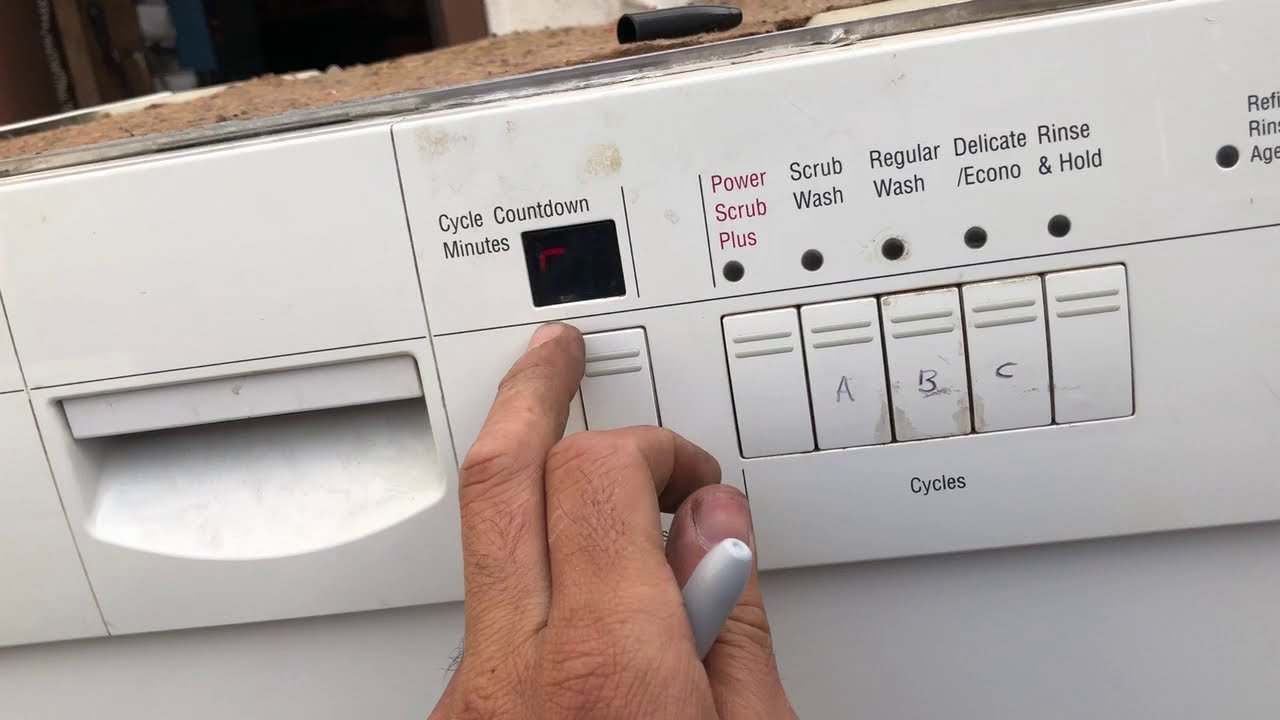
You’ve just loaded your Bosch dishwasher, set it to the wrong cycle, and now you’re wondering how to stop it. Frustrating, isn’t it?
But don’t worry you’re not alone. Canceling a cycle on your Bosch dishwasher is simpler than you might think. Whether you pressed the wrong button or your dinner plans changed, we’ve all been there. In this guide, you’ll discover step-by-step instructions to easily cancel a cycle without any hassle.
Imagine the relief when you regain control over your kitchen tasks with just a few clicks. Stay with us, and you’ll soon be a pro at managing your Bosch dishwasher like never before.
Bosch Dishwasher Features
Bosch dishwashers are known for their advanced features and efficiency. These appliances have become a favorite in many kitchens. They offer a range of functions that make dishwashing easier and faster. Understanding these features can enhance your experience with the appliance. It can also help in troubleshooting common issues like canceling a cycle.
Intuitive Controls
Bosch dishwashers come with easy-to-use controls. The buttons are clearly labeled. You can select the washing cycle you prefer. Adjusting settings is simple, even for beginners.
Multiple Washing Programs
Bosch offers various washing programs. These cater to different needs. Whether you need a quick wash or a deep clean, there’s a program for you. Each program is designed for specific types of dishes.
Eco-friendly Options
Eco-friendly options are available in Bosch dishwashers. These settings save water and energy. They are ideal for those who want to reduce their environmental impact. Choose these options to conserve resources.
Quiet Operation
Bosch dishwashers operate quietly. The noise level is low, even during intense cycles. This makes it suitable for open-plan homes. You can run the dishwasher without disturbing your household.
Advanced Safety Features
Safety is a priority in Bosch dishwashers. They include features like child locks. These prevent accidental changes to settings. Safety measures are designed to protect users and the appliance.
Reasons To Cancel A Cycle
Sometimes, you may need to cancel a cycle on your Bosch dishwasher. Understanding why helps you manage your appliance better. There are several reasons why you might want to do this. Below, we explore some common situations.
1. Incorrect Load
It’s easy to load dishes improperly. Maybe a large item blocks the spray arm. This can hinder cleaning. Canceling the cycle lets you adjust the load for better results.
2. Wrong Cycle Selection
You might choose the wrong cycle by mistake. Perhaps you selected a gentle wash for heavily soiled dishes. Stopping the cycle allows you to pick the right one.
3. Added Items
Sometimes, you find extra dirty dishes after starting the wash. Canceling the cycle lets you add these items. This ensures everything gets cleaned together.
4. Power Fluctuations
Power issues can disrupt the cycle. Stopping and resetting the dishwasher may be necessary. This action helps protect the appliance from damage.
5. Water Leaks
Leaks can occur during a cycle. Canceling the wash helps you address the problem immediately. This prevents water damage to your kitchen.
6. Strange Noises
Unusual sounds might indicate a problem. Stopping the cycle gives you a chance to investigate. This helps prevent potential mechanical issues.
Understanding these reasons aids in effective dishwasher use. Making adjustments ensures optimal performance and appliance longevity.
Safety Precautions
Handling household appliances with care ensures safety and durability. Bosch dishwashers are no exception. Understanding safety precautions before canceling a cycle is crucial. It prevents accidental damage and ensures user safety.
1. Power Off The Dishwasher
Always switch off the power before attempting to cancel a cycle. This prevents any electrical mishaps. Locate the power button and ensure it is in the off position.
2. Avoid Hot Surfaces
Dishwashers heat water to clean effectively. Cancelling a cycle might leave surfaces hot. Wait for a few minutes before touching any internal parts. This reduces the risk of burns.
3. Use Protective Gear
Wear gloves to protect your hands. Dishwashers may have sharp edges or hot components. Gloves provide an added layer of safety.
4. Keep Children Away
Ensure children are at a safe distance when canceling a cycle. This minimizes risks of accidental harm. Kids are naturally curious, so vigilance is key.
5. Inspect For Leaks
Check for water leaks after canceling a cycle. Leaks can cause slipping hazards. If there is water on the floor, clean it immediately.
6. Know The Emergency Stop
Familiarize yourself with the emergency stop feature. In case of unexpected issues, use it. This ensures quick and safe cancellation.
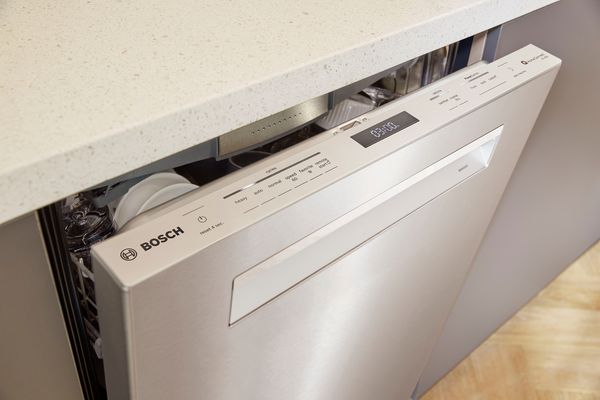
Credit: www.bosch-home.com
Canceling Mid-cycle
Have you ever found yourself needing to stop your Bosch dishwasher mid-cycle? Whether it’s because you accidentally added a non-dishwasher-safe item, or you’re in a hurry and need to switch your plan, knowing how to cancel the cycle can save you time and hassle. Interrupting a cycle might seem daunting, but it’s a straightforward process. Let’s explore how you can do this effortlessly.
Using Control Panel
Most Bosch dishwashers come equipped with a user-friendly control panel. If you want to stop the cycle, locate the start/cancelbutton on the panel. Press and hold this button for about three seconds.
You’ll notice the lights on the panel begin to blink. This indicates the cycle has been successfully canceled. The dishwasher will automatically drain any remaining water, ensuring your dishes aren’t left soaking.
It’s as simple as that! Next time you need to interrupt a wash, just remember this quick method. Have you ever used this feature? How did it work for you?
Manual Reset
Sometimes, the control panel might not respond, especially if there’s a minor glitch. In such cases, performing a manual reset can be your solution. Start by turning off the dishwasher completely.
Unplug it from the power source. Wait for about 5 minutes before plugging it back in. This process resets the machine, canceling any ongoing cycle.
Once it’s back on, you can choose to start a new cycle or leave it off. This method is particularly useful if the control panel seems unresponsive. Have you tried resetting your dishwasher manually? Share your experience!
By knowing these methods, you can handle any mid-cycle cancellation smoothly. It’s always good to understand your appliance’s functions. What other dishwasher tips have you discovered? Your insights could help many others!
Troubleshooting Common Issues
Dealing with a Bosch dishwasher that won’t cancel its cycle can be frustrating. But before you consider calling for professional help, it’s worth investigating some common issues that might be causing the problem. By understanding these troubleshooting tips, you can potentially save time and money. Let’s dive into these common issues and find actionable solutions.
Unresponsive Buttons
Imagine pressing the cancel button on your Bosch dishwasher, only to find nothing happens. This could be due to unresponsive buttons. Check if the buttons are sticky or physically damaged. If you’ve recently cleaned your dishwasher, moisture might be causing issues with the button’s functionality.
Consider this: a friend of mine had a similar problem, and it turned out a simple wipe with a dry cloth restored the buttons’ responsiveness. Before jumping to conclusions, try gently cleaning the control panel and see if it makes a difference.
Persistent Error Codes
Encountering persistent error codes can be baffling. If your Bosch dishwasher keeps displaying errors, it might be pointing to a deeper issue. Start by consulting your user manual to decode the error message. This can be your first clue to identifying the problem.
Think about this: could it be a minor issue like a clogged filter or blocked spray arm? Sometimes, fixing these simple issues can clear the error codes. Have you checked if your dishwasher door is firmly closed? A slight misalignment can also trigger error codes.
These insights can make you feel empowered to tackle what seems like a complicated issue. Remember, your Bosch dishwasher is designed to make your life easier, not harder. So, why not give troubleshooting a try before reaching for the phone?
Post-cancellation Steps
After canceling a cycle on your Bosch dishwasher, some steps ensure smooth operation. These actions prevent water build-up and prepare the machine for the next use. Follow these simple steps to maintain the dishwasher’s efficiency and cleanliness.
Draining Water
First, check if any water remains inside. Press the “Drain” button to remove it. This step prevents water from sitting inside the machine. Sitting water can lead to unpleasant odors or mold. Keep the door open slightly to let moisture escape.
Restarting A New Cycle
Once drained, you’re ready for a new cycle. Close the door firmly. Select your desired wash setting on the control panel. Press “Start” to begin the new cycle. Make sure the detergent compartment is filled. This ensures effective cleaning.
Following these steps maintains your dishwasher’s performance. Regular care keeps your appliance running smoothly for years.
When To Seek Professional Help
Facing challenges with canceling the cycle on your Bosch dishwasher? Consider professional assistance. Experts can ensure the dishwasher functions smoothly and efficiently, preventing further complications.
When attempting to cancel a cycle on your Bosch dishwasher, some issues may arise. It’s essential to know when to call a professional. This can save time and prevent further problems. Professional help ensures the dishwasher functions properly. Let’s explore situations that require expert intervention.
Persistent Error Codes
Some error codes may not disappear. Even after following troubleshooting steps. Persistent error codes may indicate a deeper issue. A professional can diagnose and fix these errors. This ensures your dishwasher works efficiently.
Unusual Noises
Bosch dishwashers are generally quiet. If you hear unusual noises, there might be a problem. Grinding, rattling, or loud humming sounds are concerning. These noises could mean mechanical issues. Professional assistance can identify the source of the noise.
Water Leakage
Water leakage is a serious concern. It can cause damage to your kitchen floor. If you notice water pooling, seek professional help. A technician can identify and fix the leak. This prevents further damage and ensures safety.
Incomplete Cycle Cancellation
Sometimes, a cycle may not cancel fully. This can be frustrating. It might leave your dishes unwashed. If your attempts to cancel fail, call an expert. A professional can resolve the issue effectively.
Electrical Issues
Dishwashers involve electrical components. If you suspect electrical problems, it’s best to call a professional. Handling electrical issues yourself can be dangerous. An expert can safely address these issues. This ensures your safety and the dishwasher’s functionality.
Frequently Asked Questions
Where Is The Cancel Reset Button On A Bosch Dishwasher?
The cancel reset button is on the control panel of the Bosch dishwasher. It is often labeled as “Cancel Drain” or similar. Press and hold it for three seconds to reset the machine. Check the user manual for specific instructions for your model.
How Do I Cancel My Dishwasher Cycle?
To cancel a dishwasher cycle, press the “Cancel” or “Reset” button on the control panel. Wait for the dishwasher to drain and stop completely. Consult your dishwasher’s manual for specific instructions, as button locations might vary. Ensure the appliance is off before opening the door.
How Do You Force Quit A Bosch Dishwasher?
Press and hold the “Start” button for 3-5 seconds to force quit a Bosch dishwasher. This action resets the cycle. Ensure the door is securely closed before attempting this method. If the issue persists, consult the dishwasher’s manual or contact Bosch support for further assistance.
How To Stop A Bosch Washer Mid Cycle?
Press the “Start/Pause” button on your Bosch washer. Wait for it to stop. Open the door carefully.
Conclusion
Canceling a cycle on your Bosch dishwasher is simple. Follow the steps carefully. Start by pressing the cancel button. Wait for the machine to stop. Listen for the beep. Remember, it might take a few seconds. Check the display for any error messages.
If there’s no display, rely on sound cues. Always ensure the door is closed properly. This prevents interruptions. Regular maintenance helps avoid frequent cancellations. Properly loading dishes is crucial too. Happy dishwashing! Keep your Bosch running smoothly. It saves time and energy.
Enjoy hassle-free cleaning with your dishwasher.
