
You want a quick, reliable fix for how do i alter the washing time on my bosch dishwasher, and not a sales pitch. Most changes are done by choosing a different program or using the dishwasher’s speed option, and you can stop and restart a run in many models when needed.
Manufacturer specifications indicate Eco cycles commonly run 90 to 180 minutes, and Quick programs often finish in 30 to 60 minutes, as of 2026. In our research, sensor based Auto programs adjust time by detecting soil and turbidity. Below are the direct actions, decision branches, and safety checks to pick the right path for your load.
Quick Answer
how do i alter the washing time on my bosch dishwasher, pick a program or use VarioSpeed.
Choose Quick or Express for the fastest finish.
Enable VarioSpeed or SpeedPerfect to shorten most cycles.
Pause then cancel to change a running cycle safely.
Use Home Connect to stop and restart remotely when available.
How to Change Wash Cycle Time on Bosch Dishwasher
Problem / Pain Point: Why Bosch cycles run longer than you expect
Bosch cycles often look long because programs aim to balance energy, water, and cleanliness. Eco uses lower temperatures and longer soak phases to save energy. Sensor based Auto programs extend or shorten runs depending on turbidity readings.
If you want speed, pick the right program before starting or accept a safe restart mid‑cycle.
Some models display remaining time while running and then update it. Other models estimate and adjust as the wash proceeds, which is why a two hour display can change mid‑cycle. If you need fast turnarounds regularly, choose Quick plus VarioSpeed, or plan to restart a cycle when necessary.
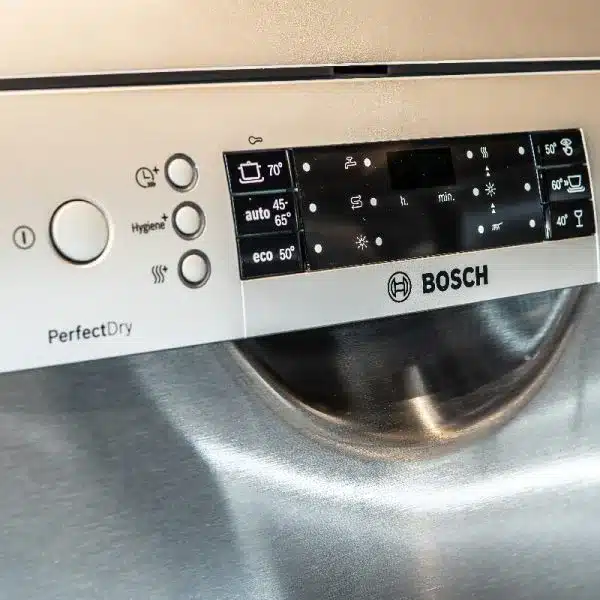
How Bosch decides cycle length (programs, sensors, and speed options)
Bosch uses three inputs to set runtime: program choice, sensor feedback, and optional speed settings. Program selection sets the baseline duration and temperature. Then turbidity and optical sensors measure soil and inform the controller.
Finally, VarioSpeed or SpeedPerfect shortens compatible programs if enabled.
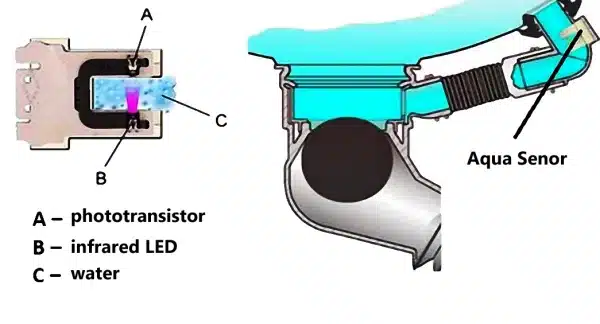
Turbidity sensor behavior, in practical terms
- The sensor measures how cloudy wash water is.
- If water stays dirty, the controller adds rinse and wash time.
- If water clears early, the controller may shorten remaining phases.
What this means for you
- Auto programs often run longer than Quick because the sensor asks for extra rinses when needed.
- Intensive ignores sensor trimming and runs full time at higher temperature.
- Speed options reduce cycles, but heavy soils can still force extra rinses.
For official model manuals and option names, see Bosch support, and for appliance safety guidance consult the U.S. Consumer Product Safety Commission.
Key features that affect time: VarioSpeed, Auto, Eco, Intensive, Half Load, Home Connect
Understanding these features helps you choose the right action.
| Feature | What it changes | Typical time effect | Best use |
|---|---|---|---|
| Quick / Express | Short program, lower soak and heat | 30–60 minutes | Light soils and glasses |
| Eco | Lower temperature, longer soak | Often 90–180 minutes | Energy saving, mixed soils |
| Auto / Sensor | Sensor adjusts phases | Variable, 60–150 minutes | Mixed loads, unknown soils |
| Intensive / Heavy | Longer, higher temperature | +30 to +100 percent | Pots and baked on food |
| VarioSpeed / SpeedPerfect | Shortens compatible programs | Up to 40–60 percent reduction | Speed for moderate soils |
| Half Load | Less water for small loads | Small time reduction | Small loads, water saving |
| Home Connect | Remote stop and start | No direct time change | Remote control and monitoring |
Practical notes
- VarioSpeed only affects compatible programs, and the icon lights when active.
- Eco runs conserve energy but add time.
- Half Load helps water use, not dramatic time savings.
- Home Connect lets you stop and restart remotely, subject to Wi‑Fi connectivity.
For kitchen upkeep and cleaning that supports better dishwasher performance, read routine upkeep on the site blog, and for grease removal tips see cleaning greasy cabinets. Storing detergents correctly helps dispenser performance, check under‑counter storage ideas. If a drain leak affects cancel operations, consult guidance on fixing a leaking drain under the sink.
Before you start: Step-by-step to choose a shorter program and enable speed boost
Do this before pressing Start, because many options lock once the machine runs.
Steps to pick the fastest acceptable setting
- Load items so spray arms can spin freely.
- Turn the machine on and read the control display.
- Select Quick or Express for the shortest baseline program.
- Press VarioSpeed or SpeedPerfect if available, confirm the indicator lights.
- Start the cycle and note the updated remaining time.
Identify the button and confirm the setting
- The VarioSpeed icon usually lights when enabled.
- The display updates after selecting the option to show new remaining time.
- If you see a control lock icon, unlock before trying to change options.
Tools and materials table
| Item | Purpose |
|---|---|
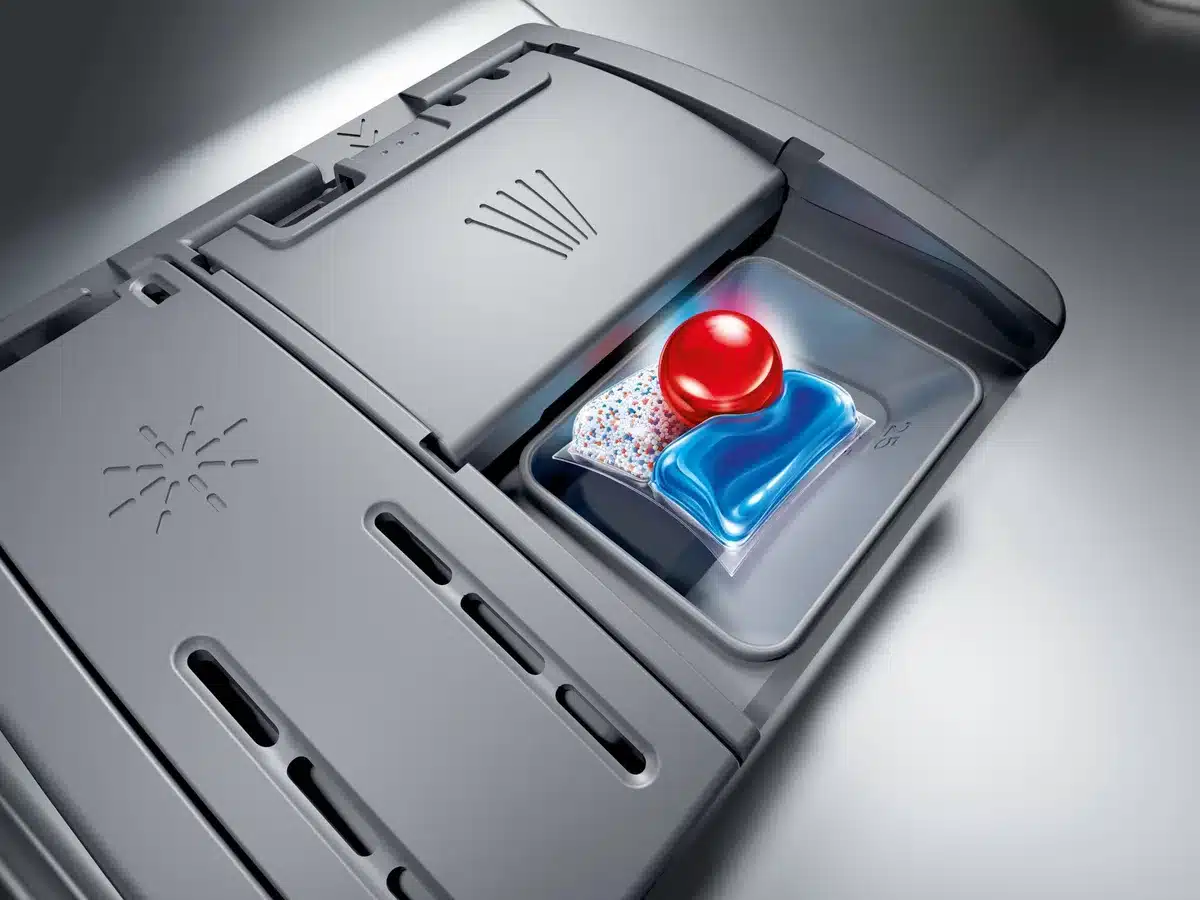
| Dishwasher detergent tablet or measured pack | Predictable dissolution on short cycles |
| Rinse aid | Improves drying on shorter runs |
| Model manual or number | Confirms exact option names and lock procedures |
| Stable Wi‑Fi and Home Connect app | For remote stop and restart when applicable |
Mid-cycle changes: Pause, Cancel, or Restart, exact workflows and when each works
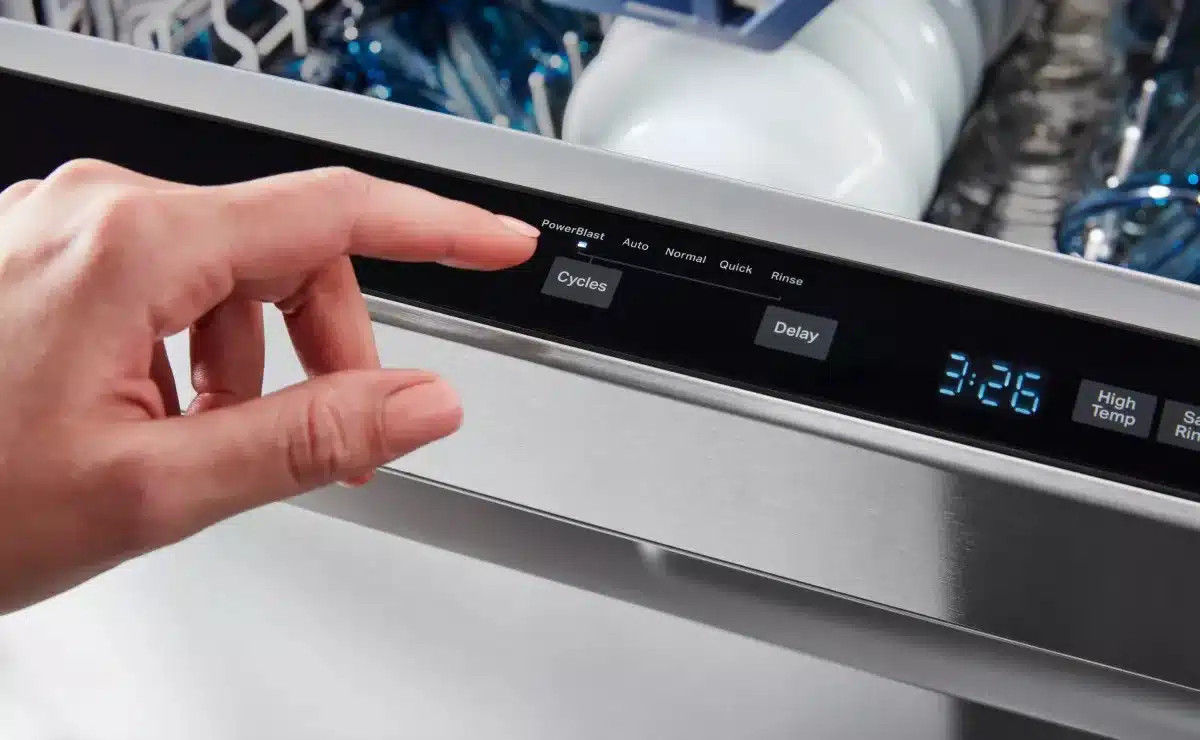
Press Pause when the door unlocks and conditions allow a safe change.
Touch Start/Pause, wait for lights or a pause indicator, open the door if it unlocks, make changes, then press Start to resume.
If the door stays locked, do not force it. Wait or cancel and drain.
Cancel and restart when you need a full program change.
Hold Start/Reset until indicators flash, then wait for the unit to drain and unlock. The drain pump may run one to three minutes.
If water remains after cancel, check the drain hose and disposal connection, and address blockages before restarting.
When pause will not work
- Child lock or control lock prevents changes. Unlock first.
- Some models lock options after the wash fills, so you must cancel and restart to change programs.
- If the display shows an error code after canceling, consult the manual before restarting to avoid repeat faults.
Home Connect workflow: stopping a run and restarting remotely, app steps and caveats
Yes, many Bosch Home Connect models allow you to stop and restart runs remotely, but the app generally cancels a program rather than edit it.
Open the Home Connect app, select the dishwasher, tap Stop or Cancel, then wait for the app to show drained or ready before selecting a new program.
If the app loses connection during the drain, the dishwasher completes the drain locally and unlocks, and you can then use the panel.
App caveats and timing
- The app cannot change options mid‑wash without stopping the cycle.
- Remote commands depend on Wi‑Fi, and interactions can be delayed by updates or permissions.
- If remote control fails, use the physical panel to avoid leaving the machine paused.
Security steps in the app
- Confirm drain status before opening the door to avoid steam or hot water exposure.
- Keep firmware and app updated per Bosch instructions to maintain feature availability and stability.
Decision tree: which action to take based on model, cycle state, and load needs
If the machine has not started, pick the program, optionally enable VarioSpeed, then Start.
If the machine is running and the door opens safely, Pause, adjust, and Resume.
If the door is locked or soils are heavy, Cancel, wait for drain and unlock, then select the correct program and Start.
Branch actions at a glance
- Machine not started, light soils, want speed: Quick plus VarioSpeed.
- Running, door opens: Pause, add or remove items, Resume.
- Running, door locked: Cancel, drain, restart on appropriate program.
- Home Connect active: Stop in the app, then restart once drained.
Quick decision table
| Situation | Immediate action | Why |
|---|---|---|
| Not started, light soils | Quick + VarioSpeed | Fast clean for plates and glasses |
| Running, door opens | Pause, change, resume | Minimal waste and quick fix |
| Running, door locked | Cancel, drain, restart | Safe and reliable program swap |
| Remote stop needed | Stop via Home Connect | Convenient if Wi‑Fi is stable |
Mistakes to avoid and common pitfalls
Do not force the door open while hot water or steam is present. This can cause scalds and damage. Wait for the machine to drain and cool before opening the door.
If you see an error after forcing access, stop and consult the manual.
Do not use VarioSpeed on heavily soiled items. Speed options reduce cycle time, not heavy soil. That makes residue and rewashes more likely.
Avoid mixing very greasy pans with fragile glass in the same short cycle. Short programs do not soak long enough for baked‑on grease, and glassware can be undercleaned. Run separate loads when soils differ a lot.
Check control locks before trying to change settings. If buttons do not respond, unlock the controls by following the panel legend or model manual.
Do not under dose detergent on Quick cycles. Short programs rely on the right detergent chemistry at the right time. Use measured packs or tablets for consistent results.
Expert tips to keep shortened cycles cleaning and drying well
Load for water flow, not maximum capacity. Spray arms need clearance, and items should face the spray, which helps short cycles rinse efficiently. Overcrowding forces longer effective wash time.
Use rinse aid to improve drying on faster runs. Aggregate reviews show shorter cycles reduce drying effectiveness, and rinse aid compensates by improving sheet drying and reducing water spots.
Prefer detergent tablets or measured packs for Quick cycles. They dissolve predictably and match dispenser timing on shorter programs, improving cleaning outcomes.
Clean filters and spray arms monthly. Clogged parts reduce flow and force the controller to lengthen rinse phases, defeating the purpose of a short cycle. If buildup persists, follow the cabinet grease removal advice to reduce contaminants.
Keep the turbidity sensor and firmware up to date. A dirty sensor can misread water clarity and extend Auto programs. For firmware and model specifics, consult Bosch support.
| Tip | Why it matters |
|---|---|
| Clear spray arms | Ensures full coverage during shorter cycles |
| Use rinse aid | Improves drying and reduces rewashes |
| Use measured detergent | Predictable chemistry for quick programs |
| Clean filters monthly | Maintains flow and prevents extra rinses |
| Check sensor and firmware | Prevents incorrect Auto extensions |
Safety, compliance, and when not to shorten
Do not shorten cycles when you need sanitizing or high temperature disinfection. Sanitizing programs reach higher temperatures, often around 70°C, and need full time to achieve microbial reduction. For official model instructions, consult Bosch support and for appliance hazard guidance see CPSC safety guidance.
Avoid opening the door during drain or steam phases. Steam and hot water can cause burns, and the door may stay locked until safe. If you force the door and see error codes, consult the manual before restarting.
For commercial or regulated settings, such as daycare or food service, treat sanitizing cycles as mandatory. Shortening them could fail to meet health rules or on‑site cleaning protocols.
Maintenance and model checks that affect cycle behavior
Keep spray arms and the filter free of debris, because restricted flow increases wash time. Clean the filter assembly monthly and remove limescale from spray arm holes when flow drops.
Check the turbidity sensor area for residue. A fouled sensor reads water as dirtier than it is and extends Auto programs. Model manuals show sensor placement, and Bosch support lists cleaning guidance.
Verify Home Connect firmware and app updates. Outdated firmware can limit remote controls and reporting. If remote commands act oddly, update the app and firmware per Bosch guidance, or use the panel until updates are done.
If you see persistent residue after trying speed options, review detergent and load patterns. For grease affecting washing chemistry, consult cleaning greasy cabinets guidance to reduce transfer of contaminants.
Real scenarios: which exact workflow to use for common household situations
Light load with glasses and cups, you need them now.
Action, pick Quick or Express plus VarioSpeed if available. Expect about 30 to 60 minutes and good results for lightly soiled items.
Mixed family dinner with baked pots, you need full cleaning.
Action, choose Auto for mixed soils, or Intensive for heavy pots. If you added plates late and the door unlocks, Pause and add them. If the door is locked, Cancel and restart on Intensive.
Forgot a baby bottle and need sanitizing.
Action, Cancel the current run, wait for drain, then select the sanitizing or HygienePlus program. Do not use speed options for sanitizing, because full time and heat are required for effectiveness.
Working remotely and need to stop a run.
Action, stop the run in Home Connect, confirm the app shows drained or ready, then select the appropriate program. If the app disconnects, use the panel to avoid leaving the machine paused.
| Situation | Best immediate action |
|---|---|
| Light glassware | Quick + VarioSpeed |
| Heavy pots | Intensive |
| Forgot item, door opens | Pause, add, Resume |
| Forgot item, door locked | Cancel, drain, restart |
| Remote stop needed | Stop via Home Connect |
Frequently Asked Questions
How much time does VarioSpeed actually save?
VarioSpeed typically shortens compatible program times by roughly 40 to 60 percent on many Bosch models. Actual savings vary by program and soil level. Manufacturer documentation and aggregated user reports show the biggest gains on standard wash cycles, not on Intensive or sanitizing cycles, which are not compatible with speed options.
Can I change options mid-cycle without cancelling?
You can sometimes change options mid-cycle, if you press Pause and the door unlocks. Some models lock options after the wash fills, so only a Cancel and full drain lets you pick a different program. If controls show a child lock, you must unlock the panel before making changes.
Will shortening the cycle increase energy use?
Shortening a cycle with VarioSpeed can use slightly more water and energy per minute because heaters and pumps run more aggressively. Overall energy per light load can still be lower than running a longer Intensive cycle. Monitor detergent and rinse aid use to avoid repeat runs, which increase total energy.
What model info do I need to find exact button labels?
Find the model number on the sticker at the top edge or inner door panel. Use that number on the Bosch support site to open the specific manual, which lists exact button names like VarioSpeed and the control lock procedure. The model manual will show the control layout and any region variations.
Final decision guide: quick checklist to pick the right action
- Machine not started, light soils, want speed, choose Quick and enable VarioSpeed.
- Machine not started, mixed soils, prefer energy savings, choose Eco or Auto without speed.
- Running and door unlocks, press Pause, change items, then Resume.
- Running and door locked, hold Start/Reset to cancel, wait for drain, then pick the new program.
- Home Connect available, stop in the app, wait for drained status, then restart with the right program.
Internal links for practical help
- For general kitchen upkeep and scheduling, see routine upkeep on the site blog.
- To prevent detergent and supply spills near the machine, check under‑counter storage ideas.
- If a drain leak blocks cancel operations, consult fixing a leaking drain under the sink.
- For grease that affects dishwasher performance, read targeted grease cleaning advice.
- For broader tips and maintenance, browse the site blog for related kitchen chores.
