

Are you facing issues with your Thermador dishwasher and wondering how to reset it? You’re not alone.
Many people have experienced those frustrating moments when their dishwasher simply refuses to cooperate. But don’t worry; you’re in the right place. This guide is here to help you get your dishwasher back in working order. Imagine the relief you’ll feel when you finally hear that comforting hum of your appliance running smoothly again.
We’ll walk you through the simple steps to reset your Thermador dishwasher. By the end of this article, you’ll feel empowered and ready to tackle the task. So, let’s dive in and get your dishwasher back to doing what it does best—cleaning your dishes effortlessly.
Common Issues Requiring A Reset
Thermador dishwashers are reliable, but sometimes they need a reset. A reset can solve common issues and get your dishwasher working again. Understanding these issues helps you know when to reset.
Error Codes
Error codes indicate specific problems with your dishwasher. Common codes include E15, E24, and E25. E15 means there’s a water leak. E24 and E25 often relate to drainage issues. Each code points to a distinct problem. These codes signal that a reset might be necessary. Always check the manual for specific meanings.
Malfunction Symptoms
Symptoms like strange noises or incomplete cycles can mean trouble. The dishwasher might not start or stop mid-cycle. Water might not drain fully. These signs suggest something’s wrong. A simple reset could fix these malfunctions. Resetting helps clear minor glitches. It’s a quick solution before seeking professional help.
Preparing For Reset
Resetting your Thermador dishwasher is simple. Turn off the power by unplugging it or switching off the circuit breaker. Wait for five minutes. Restore power to reset the system.
Resetting your Thermador dishwasher might seem like a daunting task, but with a little preparation, it can be a straightforward process. Understanding the steps you need to take before you hit the reset button is crucial. Imagine having the confidence to fix your dishwasher without a hitch! Let’s dive into the preparations necessary to get your appliance back to working smoothly.
Safety Precautions
Your safety should always come first. Before starting, ensure your dishwasher is completely powered down. This means unplugging it from the wall or switching off the circuit breaker. Water and electricity don’t mix well. Make sure your hands are dry to avoid any accidents. Double-check that your dishwasher is free of dishes and any remaining water has drained away.
Tools Needed
You don’t need a toolbox full of gadgets to reset your Thermador dishwasher. However, having a few basic tools on hand can make the process smoother. A flashlight can be handy to see under the counter or behind the appliance. In some cases, a screwdriver might be necessary to access the dishwasher’s control panel. Are you ready to tackle the reset? With just these simple steps, you’re well-prepared. Resetting your dishwasher can be a satisfying way to solve the problem and learn something new.
Step-by-step Reset Process
Resetting your Thermador dishwasher can feel like a daunting task, especially if you’re not tech-savvy. The good news is that it’s simpler than you might think. With a straightforward step-by-step process, you can get your dishwasher back to working efficiently in no time. Let’s dive into the details and tackle this task with ease.
Locating The Reset Button
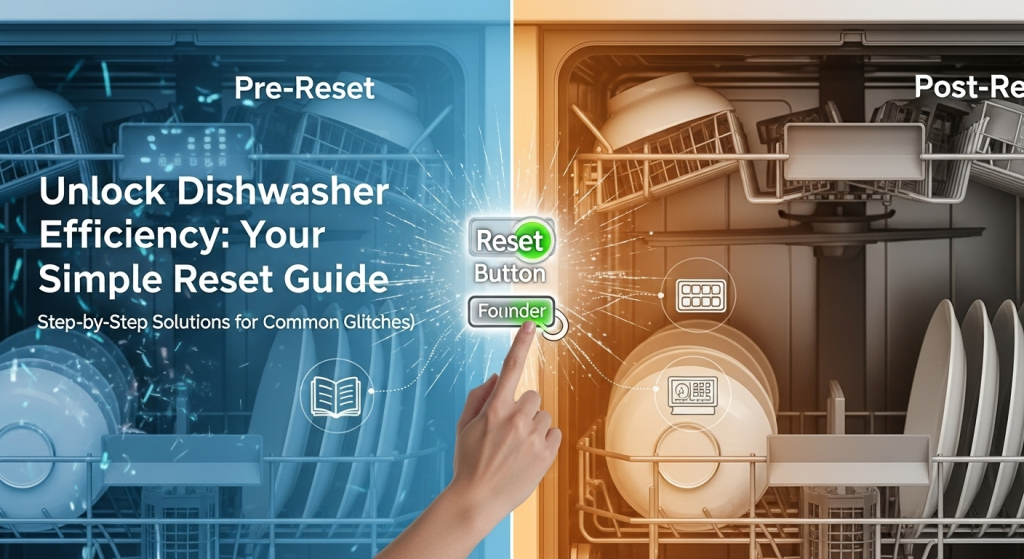
First things first, finding the reset button is crucial. This button is usually hidden, making it a bit of a scavenger hunt. Typically, it’s located near the control panel or on the edge of the door.
Imagine the satisfaction of finding it after a quick search. It’s like discovering a secret passage that leads to a solution. Once located, it’s your gateway to a fresh start for your dishwasher.
Using Control Panel Commands
If your model doesn’t have a visible reset button, don’t worry. You can use control panel commands to achieve a reset. Start by pressing the “Cancel” or “Drain” button, depending on your model.
This is where the magic happens. Pressing these buttons can reset the electronics and resolve minor glitches. It’s a simple action, yet it can save you from a lot of frustration.
Remember, every dishwasher might require a different sequence. Checking your manual can provide a more tailored approach. Have you ever thought about how manuals hold untapped insights?
In practice, these steps are a lifesaver for those unexpected dishwasher hiccups. They’re practical, straightforward, and empower you to take control. So, the next time your dishwasher acts up, will you be ready to tackle the reset like a pro?
Alternative Reset Methods
Resetting a Thermador dishwasher can involve unplugging the appliance for several minutes. Another method is pressing the reset button, usually located on the control panel. Both techniques help resolve minor glitches, ensuring smooth operation.
When your Thermador dishwasher starts acting up, your first instinct might be to hit the reset button. But what if that doesn’t do the trick? Don’t worry. There are alternative reset methods that can bring your dishwasher back to life. These methods can save you from frustration and possibly a service call. Let’s dive into some practical ways to reset your Thermador dishwasher.
Power Cycling
Power cycling is a simple yet effective way to reset many electronic devices, including your dishwasher. Begin by turning off your dishwasher. Unplug it from the power source or switch off the circuit breaker that supplies power to it. Wait for about five minutes. This gives the system time to completely power down. After the wait, plug your dishwasher back in or switch on the circuit breaker.
Turn on the dishwasher and check if it starts functioning normally. It’s surprising how often this straightforward method resolves minor glitches. Have you ever noticed how a simple restart can make your smartphone run smoother? The same concept applies here. By cutting off power completely, you give your dishwasher a fresh start.
Manual Reset Options
If power cycling doesn’t work, you might need to try a manual reset. This involves a series of button presses that can reset the dishwasher’s control panel. Locate the buttons on your dishwasher’s control panel. You might need to press a combination of buttons like “Cancel” and “Start” simultaneously. Hold these buttons for about 3 to 5 seconds. Release the buttons and wait for a few moments. You may hear a beep or see the lights flash, indicating that the manual reset was successful. If you’re unsure about the exact button combination, refer to your user manual for specific instructions.
This method can be a little tricky, but it’s worth trying before calling in the professionals. Have you tried fixing a minor issue and ended up solving a bigger problem? These manual resets can sometimes fix underlying issues you weren’t even aware of. So, next time your Thermador dishwasher acts up, remember these alternative reset methods. They’re simple, quick, and can save you time and money. Give them a try and see the difference they can make.
Post-reset Checklist
Resetting a Thermador dishwasher involves a simple process. Begin by turning off the dishwasher and unplugging it. Wait for about one minute, then plug it back in and turn it on. This post-reset checklist ensures your dishwasher runs smoothly.
Resetting your Thermador dishwasher can feel like hitting the refresh button, setting things right again. But what happens after the reset? That’s where the Post-Reset Checklist comes in handy. This checklist ensures that the reset was successful and your dishwasher is running smoothly. It’s about verifying functionality, spotting potential issues early, and getting back to hassle-free dishwashing.
Testing The Dishwasher
After resetting, it’s time to test your dishwasher’s performance. Start with a simple cycle using a few dishes. Check if the water is heating properly and the cycle completes without interruptions. Listen for any unusual noises or pauses. If you notice anything odd, it might suggest lingering issues that need attention.
Monitoring For Recurring Issues
Keep an eye on your dishwasher over the next few days. Does it start and run smoothly each time? Are dishes coming out clean and dry? If problems persist, ask yourself: is there a pattern or specific error code appearing? Identifying these can help determine if a professional repair is needed. Resetting might seem like a quick fix, but it’s crucial to ensure everything is truly back on track. What have you noticed post-reset that required further action? Your observations could be the key to a long-lasting solution.

Credit: www.twinappliancesinc.com
Troubleshooting Persistent Problems
Resetting a Thermador dishwasher can solve many minor issues. But sometimes, problems persist even after a reset. If your dishwasher still acts up, there could be underlying issues. Let’s dive into some advanced troubleshooting tips.
Check the power supply first. Ensure the dishwasher is plugged in properly. Inspect the circuit breaker. It should be in the “on” position. Verify that the door latch is secure. A loose latch can prevent the dishwasher from starting. Also, look for error codes on the display. They can provide clues about the problem.
Professional Assistance
Sometimes, DIY fixes aren’t enough. Persistent issues might need expert attention. A professional can diagnose deeper problems. They have the right tools and experience. It’s safer to let them handle complex repairs. This approach saves time and prevents further damage.
Warranty Considerations
Before seeking repairs, check your warranty. Thermador dishwashers often come with warranties. These cover certain repairs and replacements. If your dishwasher is under warranty, contact the manufacturer. They might offer free service or replacements. Always keep your purchase receipt safe. It helps in claiming warranty benefits easily.

Frequently Asked Questions
How Do You Do A Hard Reset On A Dishwasher?
To hard reset your dishwasher, disconnect it from the power source for 5 minutes. Reconnect it and restart. Check the user manual for model-specific instructions.
Why Is My Thermador Dishwasher Not Starting?
Check power connection; dishwasher may not start if unplugged. Ensure door is securely closed. Inspect control settings for errors. Examine water supply; dishwasher won’t start without water. Investigate for blocked or clogged parts affecting operation. Consider consulting a technician for persistent issues.
How Do I Reset My Thermador?
To reset your Thermador, switch off the circuit breaker for 1 minute. Turn it back on. If issues persist, consult the user manual or contact customer support for assistance.
Why Is My Thermador Dishwasher Stuck On Auto?
Your Thermador dishwasher may be stuck on auto due to a faulty control panel or sensor issue. Try resetting it by turning off the power for a few minutes. If the problem persists, consider contacting a technician for further diagnosis and repair.
Conclusion
Resetting your Thermador dishwasher can solve many common issues. Start by powering off the appliance. Wait a few minutes. Then, turn it back on. This simple step often resolves minor glitches. If problems persist, consult your manual. You might need professional help if problems continue.
Regular maintenance helps avoid frequent resets. Keep your dishwasher clean and check connections regularly. A well-maintained dishwasher ensures efficient performance. Remember, proper care extends its lifespan. For more detailed troubleshooting, visit the Thermador website. Stay informed, and ensure your dishwasher runs smoothly every time.
